> ## Documentation Index
> Fetch the complete documentation index at: https://siderolabs-fe86397c-1-11-reference.mintlify.site/llms.txt
> Use this file to discover all available pages before exploring further.
# Rotate SideroLink Join Token
This guide shows you how to rotate SideroLink join tokens.
Join tokens are the secret used to authenticate Talos machines' gRPC requests when they first establish a WireGuard tunnel connection to Omni.
If the token is compromised it can be revoked and replaced with the new one.
### Conditions that Make Token Rotation Possible
When a machine connects to Omni for the first time, it uses a join token specific to the Omni account that is shared by all new hosts that are registering with Omni. Omni then creates a unique, ephemeral token for each machine, and when Talos is installed to disk, that token is persisted to disk. If the shared token is revoked, machines that have persisted unique tokens (i.e. those with Talos installed to disk) will stay connected, but machines using only shared tokens will be disconnected.
Talos \< 1.6 doesn't support unique tokens.
If Omni is started with `--join-tokens-mode=legacy` unique node tokens are not generated for any machines. This makes rotating join tokens not possible.
### To Rotate Join Tokens
#### Create New Join Token
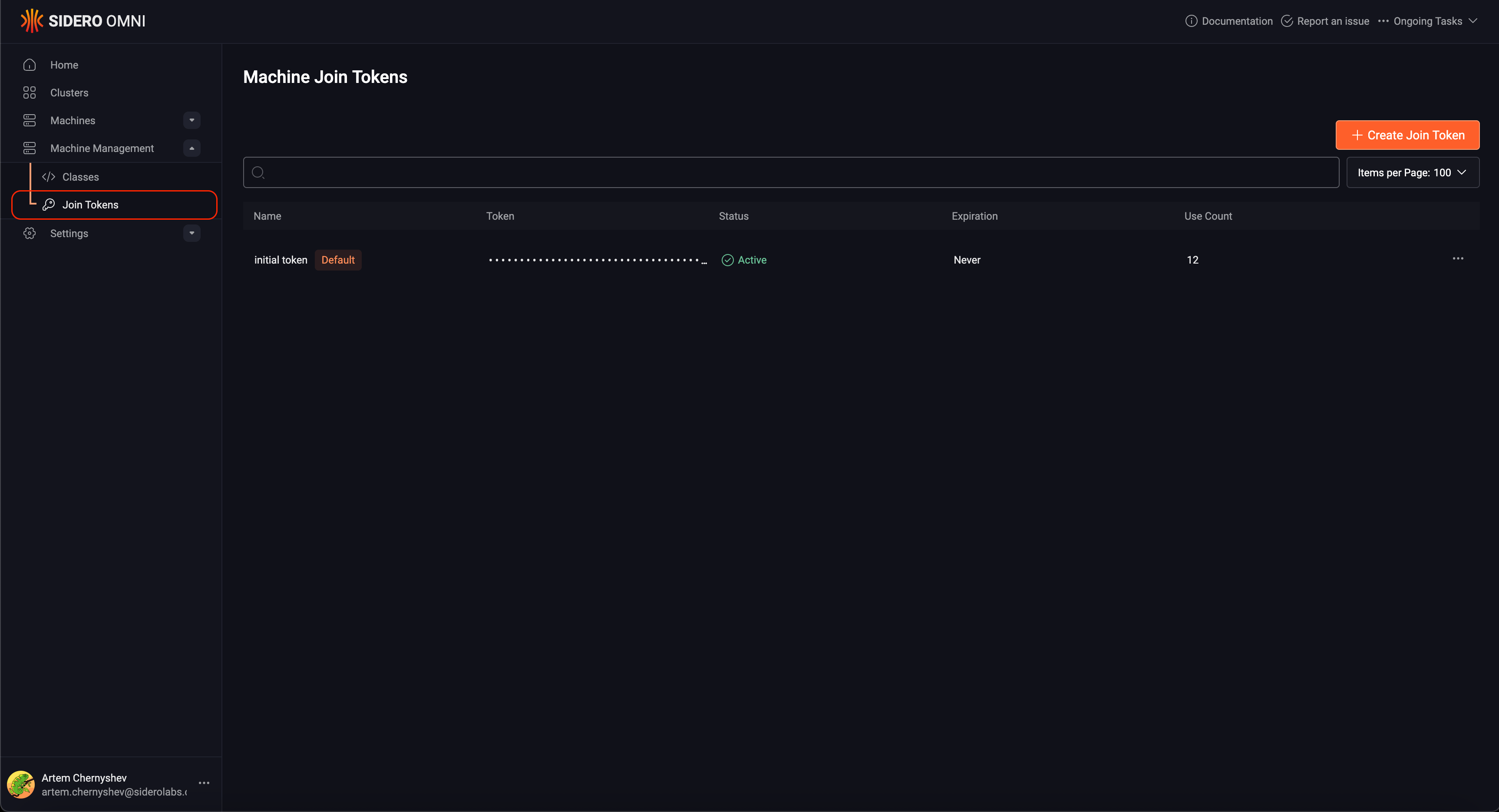
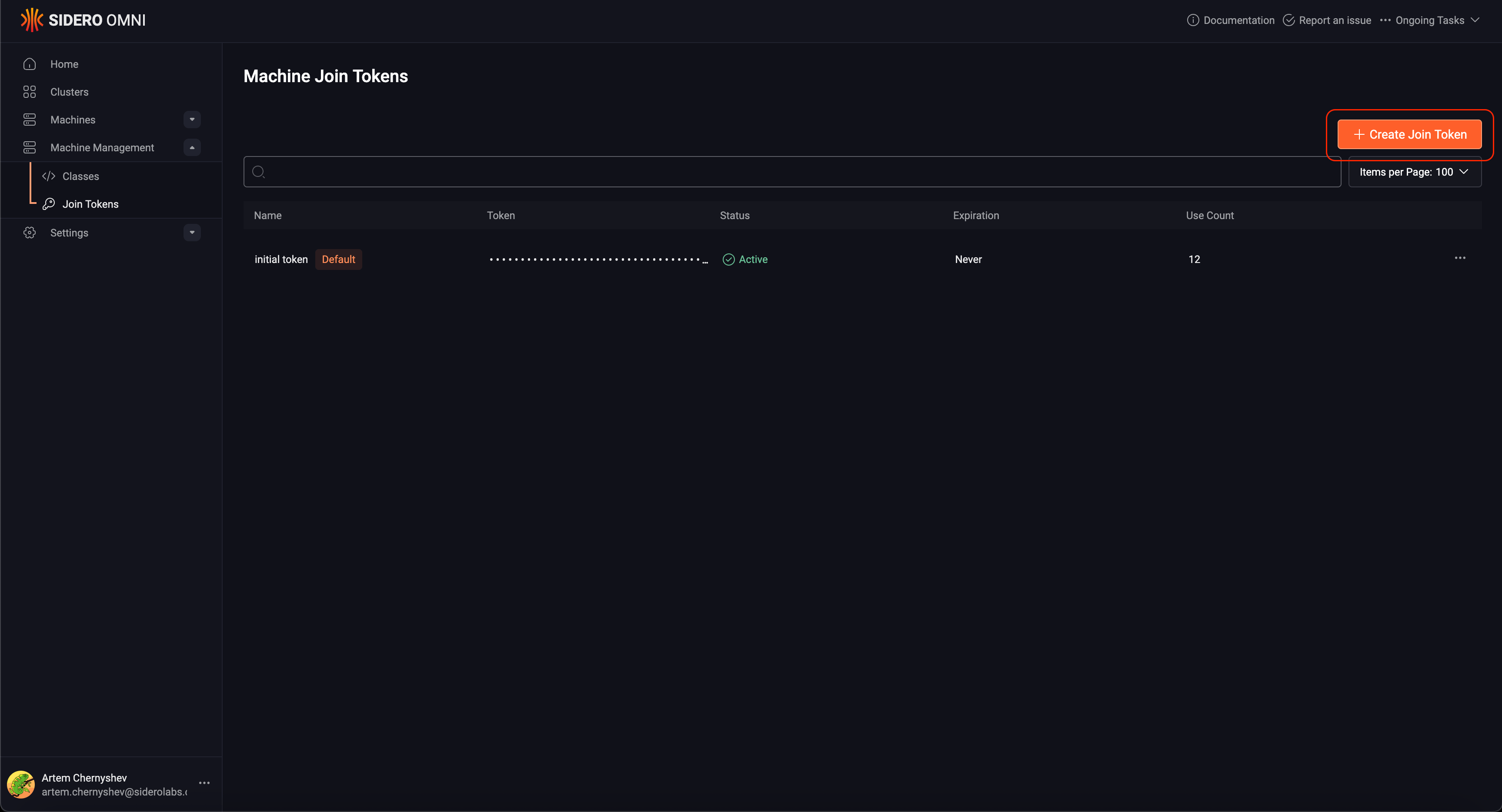
Click the "Join Tokens" section button under "Machine Management" in the sidebar. Next, click the "Create Join Token" button on the right.
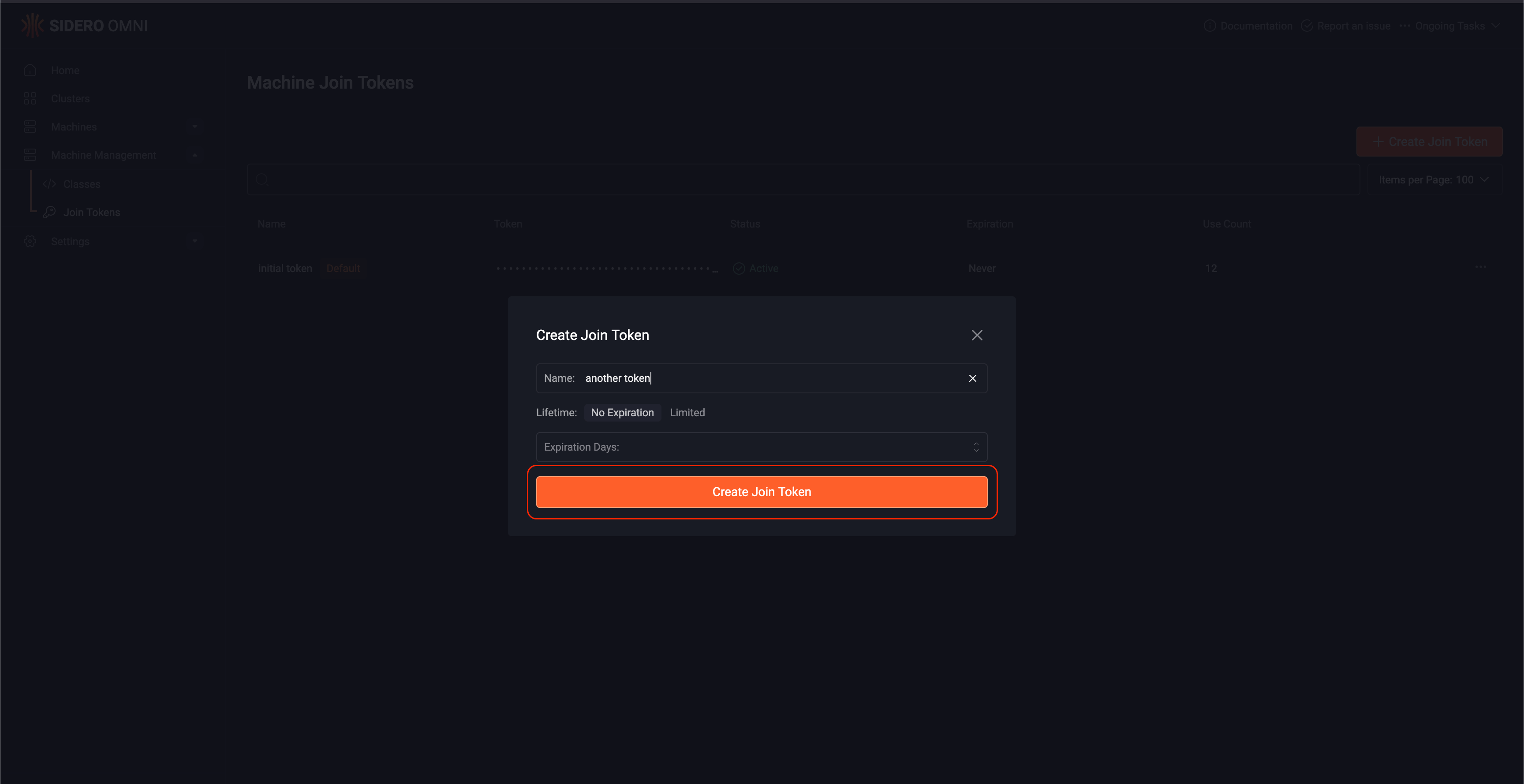
 Give the new token a name and click the "Create Join Token" button.
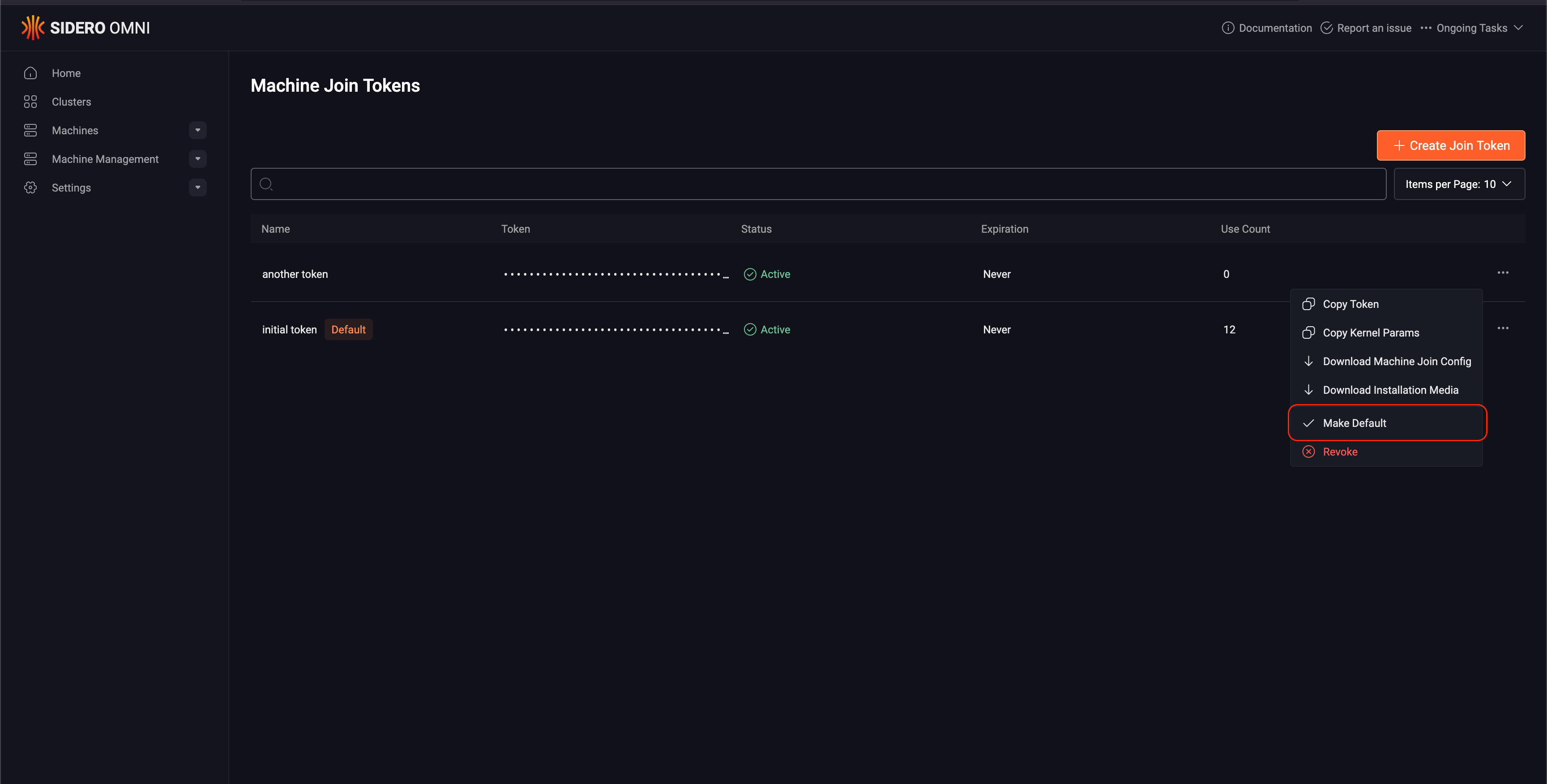
 #### Replace the default token
If the token that you are going to revoke is the default, mark the new token as the default.
#### Replace the default token
If the token that you are going to revoke is the default, mark the new token as the default.
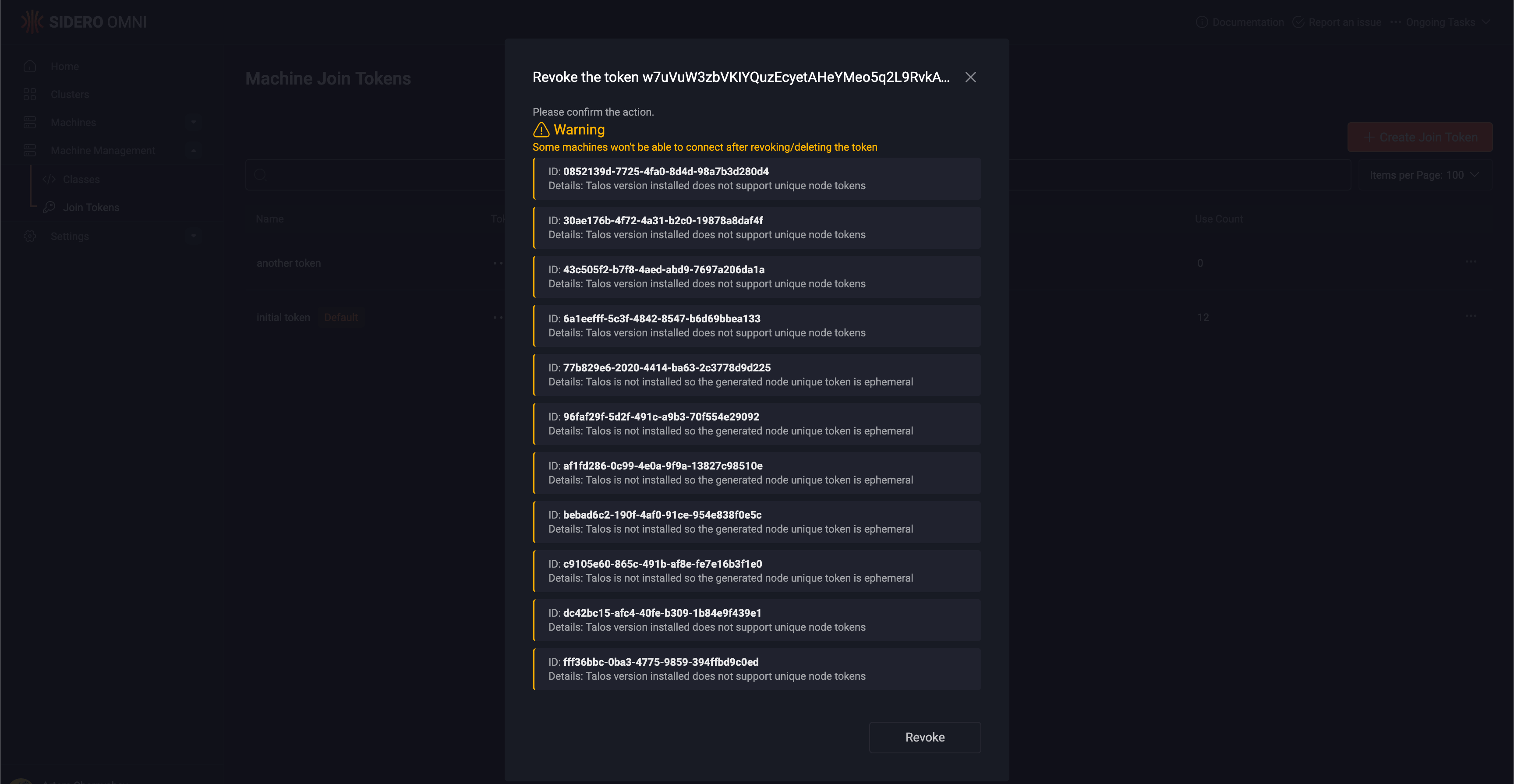
 Revoke the old token. Note the warnings regarding machines that will be affected by the revocation of the old token.
If there are warnings and the token is rotated anyway, the machines in the list will get disconnected after the next restart of Omni or the machine.
Revoke the old token. Note the warnings regarding machines that will be affected by the revocation of the old token.
If there are warnings and the token is rotated anyway, the machines in the list will get disconnected after the next restart of Omni or the machine.
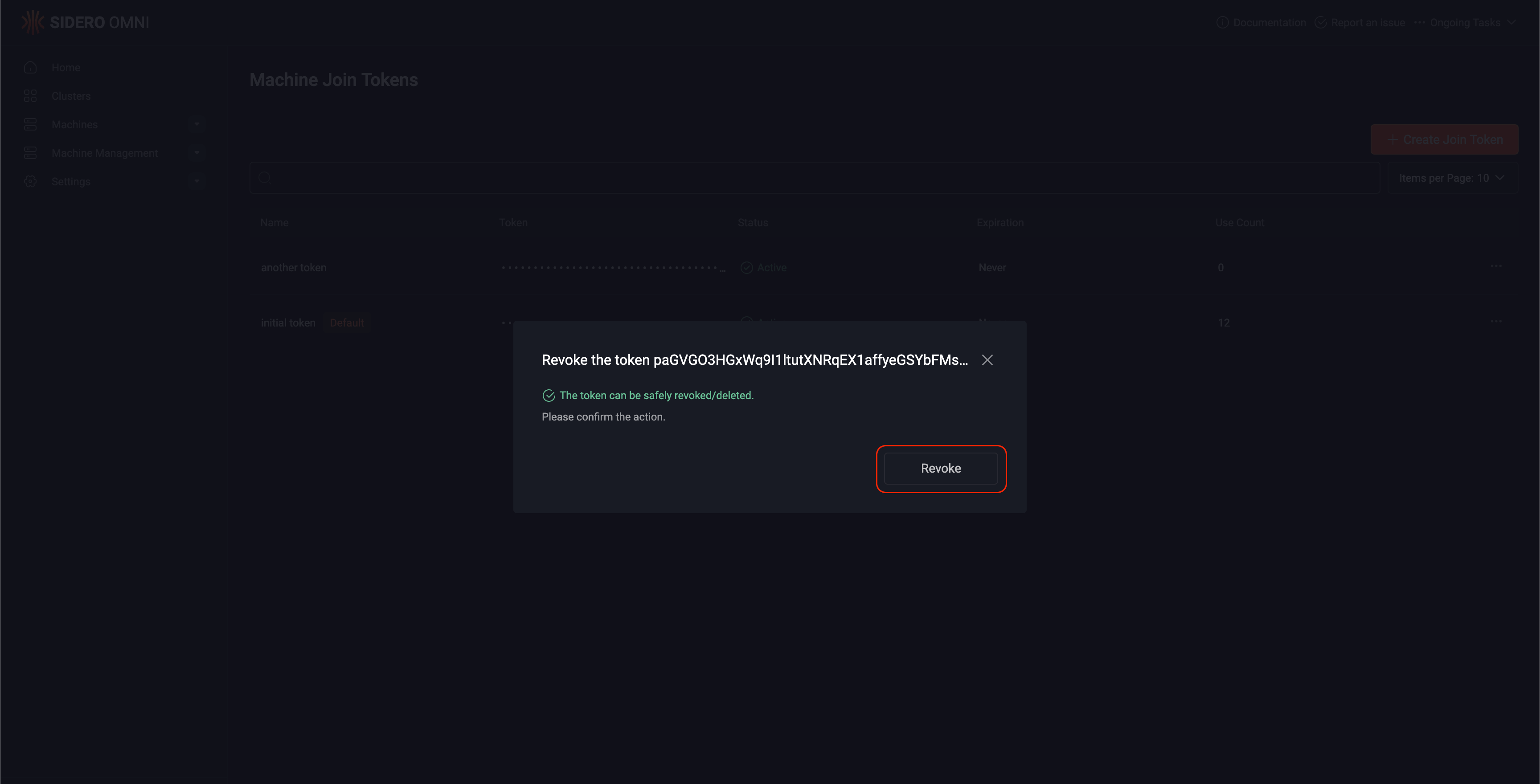
 If it is safe to rotate the token, Omni will show a green check mark.
Click Revoke.
If it is safe to rotate the token, Omni will show a green check mark.
Click Revoke.
 Create a new jointoken
```
omnictl jointoken create "next token"
Cw4yXr6dki4ZXLaJL22xxkOkagExzTOiTSMsfaMu1UD
```
If the token that you are going to revoke is the default one, mark the new token as default.
```
omnictl jointoken make-default Cw4yXr6dki4ZXLaJL22xxkOkagExzTOiTSMsfaMu1UD
```
Revoke the old token. Note the warnings regarding machines that will be affected by the revocation of the old token.
If there are warnings and the token is rotated anyway, the machines in the list will get disconnected after the next restart of Omni or the machine.
```
omnictl jointoken revoke w7uVuW3zbVKIYQuzEcyetAHeYMeo5q2L9RvkAVfCfSCD
WARNING: 11 of 12 machines won't be able to connect if the token is revoked/deleted
MACHINE DETAILS
0852139d-7725-4fa0-8d4d-98a7b3d280d4 Talos version installed does not support unique node tokens
30ae176b-4f72-4a31-b2c0-19878a8daf4f Talos version installed does not support unique node tokens
43c505f2-b7f8-4aed-abd9-7697a206da1a Talos version installed does not support unique node tokens
6a1eefff-5c3f-4842-8547-b6d69bbea133 Talos version installed does not support unique node tokens
77b829e6-2020-4414-ba63-2c3778d9d225 Talos is not installed so the generated node unique token is ephemeral
96faf29f-5d2f-491c-a9b3-70f554e29092 Talos is not installed so the generated node unique token is ephemeral
af1fd286-0c99-4e0a-9f9a-13827c98510e Talos is not installed so the generated node unique token is ephemeral
bebad6c2-190f-4af0-91ce-954e838f0e5c Talos is not installed so the generated node unique token is ephemeral
c9105e60-865c-491b-af8e-fe7e16b3f1e0 Talos is not installed so the generated node unique token is ephemeral
dc42bc15-afc4-40fe-b309-1b84e9f439e1 Talos version installed does not support unique node tokens
fff36bbc-0ba3-4775-9859-394ffbd9c0ed Talos version installed does not support unique node tokens
Do you still want to revoke the token? [y/N]:
```
If the token can be safely revoked, the operation will continue without asking.
You can copy now the new token and start using it.
Create a new jointoken
```
omnictl jointoken create "next token"
Cw4yXr6dki4ZXLaJL22xxkOkagExzTOiTSMsfaMu1UD
```
If the token that you are going to revoke is the default one, mark the new token as default.
```
omnictl jointoken make-default Cw4yXr6dki4ZXLaJL22xxkOkagExzTOiTSMsfaMu1UD
```
Revoke the old token. Note the warnings regarding machines that will be affected by the revocation of the old token.
If there are warnings and the token is rotated anyway, the machines in the list will get disconnected after the next restart of Omni or the machine.
```
omnictl jointoken revoke w7uVuW3zbVKIYQuzEcyetAHeYMeo5q2L9RvkAVfCfSCD
WARNING: 11 of 12 machines won't be able to connect if the token is revoked/deleted
MACHINE DETAILS
0852139d-7725-4fa0-8d4d-98a7b3d280d4 Talos version installed does not support unique node tokens
30ae176b-4f72-4a31-b2c0-19878a8daf4f Talos version installed does not support unique node tokens
43c505f2-b7f8-4aed-abd9-7697a206da1a Talos version installed does not support unique node tokens
6a1eefff-5c3f-4842-8547-b6d69bbea133 Talos version installed does not support unique node tokens
77b829e6-2020-4414-ba63-2c3778d9d225 Talos is not installed so the generated node unique token is ephemeral
96faf29f-5d2f-491c-a9b3-70f554e29092 Talos is not installed so the generated node unique token is ephemeral
af1fd286-0c99-4e0a-9f9a-13827c98510e Talos is not installed so the generated node unique token is ephemeral
bebad6c2-190f-4af0-91ce-954e838f0e5c Talos is not installed so the generated node unique token is ephemeral
c9105e60-865c-491b-af8e-fe7e16b3f1e0 Talos is not installed so the generated node unique token is ephemeral
dc42bc15-afc4-40fe-b309-1b84e9f439e1 Talos version installed does not support unique node tokens
fff36bbc-0ba3-4775-9859-394ffbd9c0ed Talos version installed does not support unique node tokens
Do you still want to revoke the token? [y/N]:
```
If the token can be safely revoked, the operation will continue without asking.
You can copy now the new token and start using it.