> ## Documentation Index
> Fetch the complete documentation index at: https://siderolabs-fe86397c-1-11-reference.mintlify.site/llms.txt
> Use this file to discover all available pages before exploring further.
# Add a User to Omni with SAML Enabled
This guide shows you how to create a user in an Omni instance with SAML authentication enabled.
Grant the new user access to Omni in your SAML identity provider. The new user should login to the new user account, in order for Omni to have the account synchronized with the SAML provider.
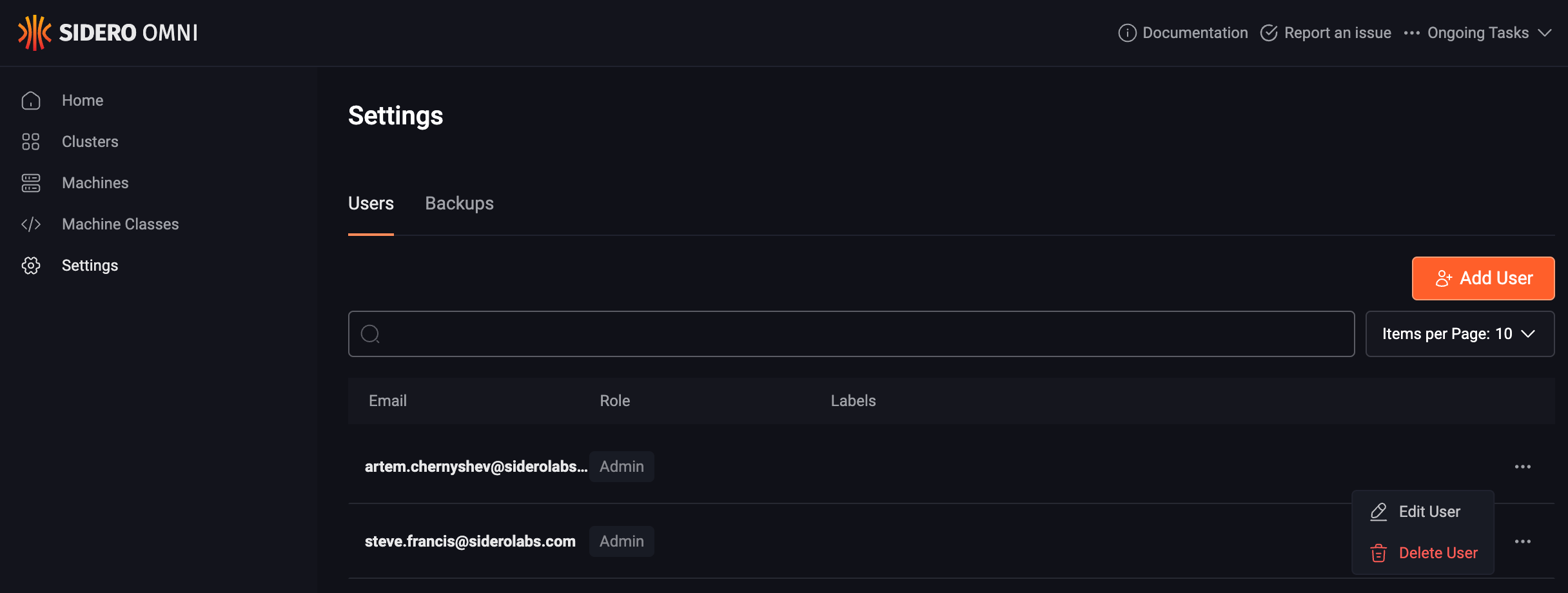
Log into Omni using another account with `Admin` permissions, navigate to Settings, then find the newly added user in the list of users. Now, select “Edit User” from the menu under the ellipsis:
 Change the role to `Reader`, `Operator` or `Admin` as appropriate:
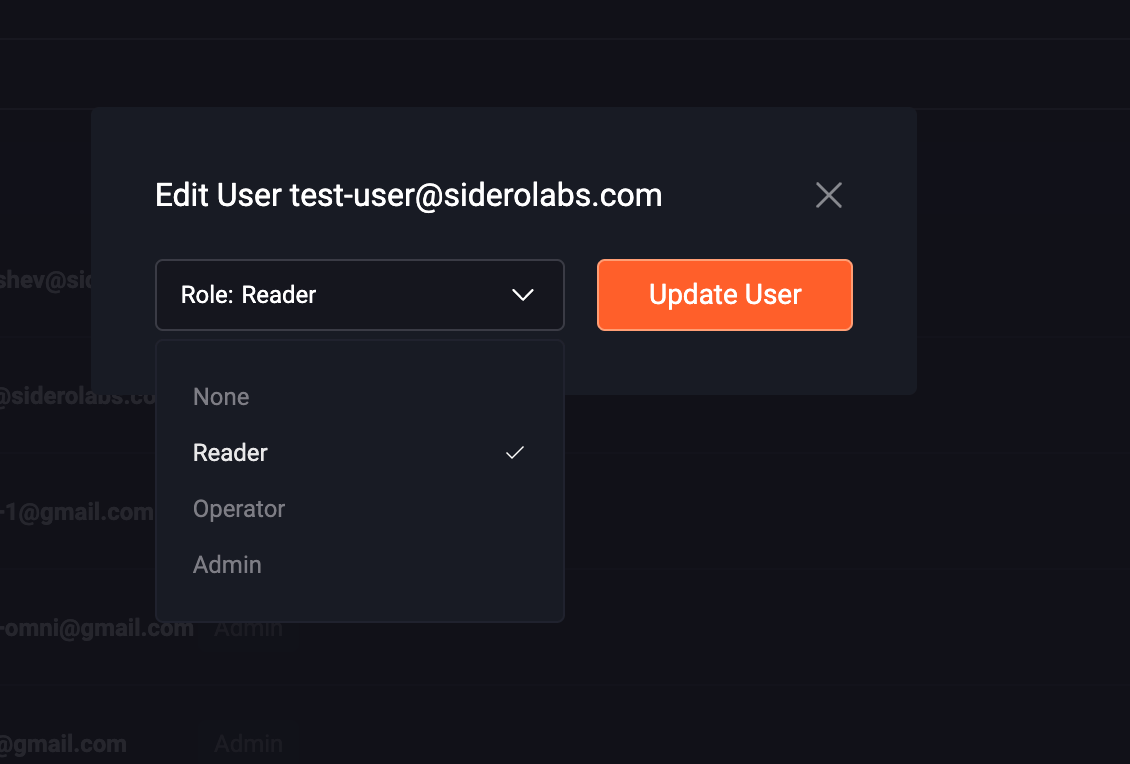 And click “Update User”. The user will now have the appropriate role within Omni, and be associated with the SAML user.